TL;DR

Get business pricing on tools and workshop supplies
- Business-only prices and quantity discounts
- Tax-exempt purchasing
- Multiple users, one account, clear invoices
Rugged tablets are sealed, shock-tested devices built to MIL-STD-810G and IP65/IP67 standards that survive dust, rain, drops, and jobsite abuse while running digital daily report software. Expect to pay $1,000–$3,000, get 8–12 hour batteries, and cut daily report time roughly in half compared to paper. Buy on screen brightness, battery life, and glove-friendly touch first — those are the specs that decide whether the thing actually gets used.
Your daily report takes 45 minutes on paper. Twenty of those minutes are you hunting for notes, decoding your own handwriting, and chasing down the foreman who “fixed” the headcount after you left. Sound familiar?
Rugged tablets for digital daily reports kill most of that waste. You punch in manpower, weather, delays, and photos as the day happens. By quitting time, the report is done — no driving back to the trailer, no Monday morning data entry marathon.
But here’s the catch: not every “rugged” tablet is rugged, and a $400 consumer tablet in a rubber case is not the same tool. This guide breaks down what actually matters — durability ratings, screens you can read in sunlight, batteries that outlast a 10-hour shift, and the software that ties it together — so you spend money once and spend it right.
Buy only tablets with documented MIL-STD-810G/H and IP65/IP67 ratings — anything less is a consumer tablet in a case, and it will fail inside 18 months on an a…
Screen brightness (1,000+ nits, anti-glare) and hot-swappable batteries matter more than processor speed for daily reporting — those two specs decide whether t…
Budget $1,000–$3,000 per unit. That sounds steep until you compare it to replacing a $700 consumer tablet two or three times over the same 5-year lifespan.
A digital daily report with automatic GPS and time stamps is your best defense in delay claims and change order disputes — paper memory doesn’t hold up in a ro…
Pilot with one foreman for 30 days before buying a fleet. If the screen is unreadable in sunlight or the battery dies at 2 p.m., you’ll learn it on one tablet,…
Rugged Tablets for Digital Daily Reports
Sealed, shock-tested devices built to MIL-STD-810G and IP65/IP67 standards that survive dust, rain, drops, and jobsite abuse while running digital daily report software. Buy on screen brightness, battery life, and glove-friendly touch first — those are the specs that decide whether the thing actually gets used.
What Makes a Tablet Actually “Rugged”
A rugged tablet is a sealed, shock-tested device built to survive drops, dust, water, and temperature swings that would kill a consumer tablet in a week. The proof is in two ratings. If a tablet doesn’t list both, walk away — it’s a consumer tablet wearing a costume.
Rugged vs. Consumer: Side-by-Side on the Jobsite
| Factor | Consumer Tablet + Case | Rugged Tablet |
|---|---|---|
| Upfront cost | $400–$900 | $1,000–$3,000+ |
| Typical jobsite lifespan | 12–18 months | 4–6 years |
| Drop survival (4 ft to concrete) | Lucky to survive once | Rated for repeated drops |
| Screen in direct sun | Glare, unreadable (400–600 nits) | 1,000+ nits, anti-glare |
| Use with work gloves | No | Yes, on most models |
| Battery, 10-hr shift | Needs a midday charge | Hot-swappable options |
Estimated daily report completion time. Do the math on lifespan: a $700 iPad replaced twice over five years costs $2,100 — plus downtime and lost photos when it shatters.
The 6 Specs That Decide Whether Your Crew Uses It
Skip the marketing sheet — these are the specs that decide if the tablet gets used daily or lives in a truck drawer.
Screen Brightness
If you can’t read it in Texas sun at 2 p.m., the report doesn’t get filled out until end of day. Defeats the purpose.
Battery Life
Hot-swappable batteries pop in without shutting down — like swapping a cordless drill battery on a ladder. No hunting for outlets.
Touch Operation
You shouldn’t strip gloves off to log a delay at 30°F. No superintendent should choose between frostbite and a blank delay field.
Connectivity
Jobsites rarely have reliable Wi-Fi. Cellular data gets your report and photos synced in real time from the workface.
Processor & RAM
Daily report apps are light. Don’t pay $800 extra for specs a gaming PC needs.
Security
Encryption, biometric login, remote wipe. If it’s stolen off the dash of the F-250, you wipe it from the office.
An 8-inch model you can hold one-handed gets used. A 13-inch slab stays in the truck. Pick the size your foremen will actually carry.
How a Digital Daily Report Actually Happens
Seven subcontractors on site, a crane burning $400 an hour, concrete trucks at 1 p.m. You log manpower, weather, delays, and photos as the day unfolds — each entry carrying a GPS and time stamp nobody can argue with later.
Log conditions
Tap the weather widget — 38°F, wind NW at 12 mph — and log 22 workers through the gate with three taps.
Capture delays
Pump truck no-show? Snap a photo of the idle crane; the app pins it to the third-floor deck automatically.
Auto-stamp entries
Manpower, deliveries, and safety observations get GPS + time stamps in real time — your best defense in disputes.
Submit & sync
Hit submit from the truck. Total report time: ~12 minutes, spread across moments you were standing still anyway.
Five Takeaways Before You Buy
Buy only documented ratings. MIL-STD-810G/H and IP65/IP67 in writing — anything less fails inside 18 months on an active site.
Brightness beats processor speed. 1,000+ nits, anti-glare, and hot-swappable batteries decide whether the tablet gets used.
Budget $1,000–$3,000 per unit. That’s less per year than replacing a $700 consumer tablet two or three times over the same lifespan.
Stamps are your defense. Automatic GPS and time stamps beat paper memory in delay claims and change order disputes.
Pilot before fleet-buying. One foreman, one tablet, 30 days. If the screen washes out or the battery dies at 2 p.m., you learn it cheap.
What Makes a Tablet Actually “Rugged” (Hint: It’s Not a Case)
A rugged tablet is a sealed, shock-tested device built to survive drops, dust, water, and temperature swings that would kill a consumer tablet in a week. The proof is in two ratings: MIL-STD-810G/H (military drop and vibration testing) and Ingress Protection ratings like IP65 or IP67 (dust and water sealing). If a tablet doesn’t list both, walk away.
Here’s the difference in real terms. A consumer iPad in a thick rubber case survives maybe three or four waist-high drops onto concrete before the screen spiderwebs. A true rugged tablet is designed to withstand 4-foot drops onto plywood over concrete, repeatedly, plus rain, sawdust, and the inside of a hot truck cab in August.
The sealing matters more than people think. Jobsite dust is fine grit — concrete powder, drywall sand, silica. That stuff works into charging ports and speaker grilles like sand in a boot. An IP67-rated tablet is fully sealed against it. Your regular tablet slowly chokes on it.
Rugged tablets typically meet military standards through third-party lab testing, not marketing claims. Ask for the test report. Any legit manufacturer — Panasonic, Getac, Zebra, Dell, Samsung — will hand it over.
If it doesn’t say MIL-STD-810 and IP65 or better in writing, it’s a consumer tablet wearing a costume.
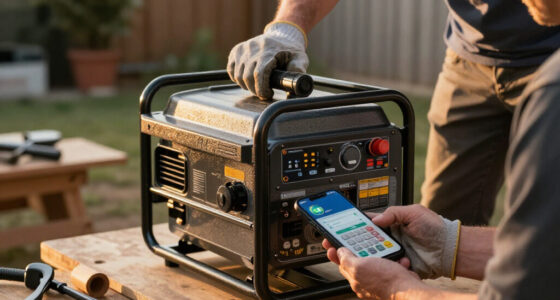
rugged industrial tablet with MIL-STD-810G and IP67 rating
As an affiliate, we earn on qualifying purchases.
As an affiliate, we earn on qualifying purchases.
Rugged Tablet vs. Consumer Tablet: Side-by-Side on the Jobsite
Rugged tablets beat consumer tablets on the jobsite in five areas: drop survival, screen visibility, battery runtime, glove-friendly touch, and total cost over the device’s life. Consumer tablets win on price and app selection. Here’s the honest comparison:
| Factor | Consumer Tablet + Case | Rugged Tablet |
|---|---|---|
| Upfront cost | $400–$900 | $1,000–$3,000+ |
| Typical jobsite lifespan | 12–18 months | 4–6 years |
| Drop survival (4 ft to concrete) | Lucky to survive once | Rated for repeated drops |
| Screen in direct sun | Glare, unreadable | 1,000+ nits, anti-glare |
| Use with work gloves | No | Yes, on most models |
| Battery, 10-hr shift | Needs a midday charge | Hot-swappable options |
Do the math on lifespan. A $700 iPad replaced twice over five years costs $2,100 — plus the downtime when it dies mid-week and the lost photos when it shatters. A $2,000 rugged unit costs less per year and doesn’t quit on you in month 14.
The screen brightness point is the one everyone learns the hard way. A standard tablet runs 400–600 nits. Stand in Texas sun at 2 p.m. and you’re staring at a black mirror. Rugged units push 1,000 nits or more with matte finishes. That’s the difference between filling out the report at the workface and walking back to the shade.
sunlight readable rugged tablet for construction
As an affiliate, we earn on qualifying purchases.
As an affiliate, we earn on qualifying purchases.
The 6 Specs That Decide Whether Your Crew Actually Uses It
The six most important aspects of a rugged tablet for daily reporting are screen brightness, battery life, glove-friendly touch, connectivity, processing power, and security. Skip the marketing sheet — these are the ones that decide if the tablet gets used daily or lives in a truck drawer.
- Screen: 1,000+ nits with anti-glare. If you can’t read it in sunlight, the report doesn’t get filled out until the end of the day. Defeats the purpose. Think of it like a calculator with no display — useless no matter how good the internals are.
- Battery: full 10-hour shift minimum. Better yet, hot-swappable batteries — pop a fresh one in without shutting down, like swapping a cordless drill battery on a ladder. No more hunting for an outlet behind the porta-john.
- Glove and wet-touch operation. You shouldn’t have to strip your gloves off to log a delay when it’s 30 degrees. A superintendent in Minneapolis shouldn’t choose between frostbite and a blank delay field.
- Connectivity: LTE or 5G, not just Wi-Fi. Jobsites rarely have reliable Wi-Fi. Cellular data gets your report and photos synced in real time.
- Processor and RAM: mid-tier is fine. Daily report apps are light. Don’t pay $800 extra for specs a gaming PC needs.
- Security: encryption, PIN or biometric login, remote wipe. Your report has schedule and cost data on it. If the tablet gets stolen off the dash of the F-250, you wipe it from the office.
One more thing that doesn’t show on a spec sheet: weight and grip. An 8-inch model you can hold one-handed gets used. A 13-inch slab stays in the truck. Pick the size your foremen will actually carry.
glove-friendly touchscreen rugged tablet
As an affiliate, we earn on qualifying purchases.
As an affiliate, we earn on qualifying purchases.
How Digital Daily Reports Work on a Rugged Tablet
Digital daily reports on a rugged tablet work like this: you log manpower, weather, work performed, delays, deliveries, and safety observations as the day unfolds, attach photos and timestamps automatically, and sync to the office over cellular. No clipboard, no re-typing, no Monday scramble.
Picture your typical Tuesday. Seven subcontractors on site, a crane rental burning $400 an hour, concrete trucks showing at 1 p.m. With paper, you scribble notes between tasks and hope you remember what the electrician told you at 7:30 a.m. With a tablet, you tap it in on the spot — 12 electricians, 8 plumbers, crane down 40 minutes waiting on the pump truck — and each entry carries a GPS and time stamp nobody can argue with later.
Here’s what that looks like in practice. At 7:15 a.m., you tap the weather widget — 38°F, wind NW at 12 mph — and log the 22 workers through the gate with three taps from your saved subcontractor list. At 11:40, the pump truck is a no-show, so you open the delay entry, snap a photo of the idle crane and the empty street, and the app pins it to the third-floor deck automatically. At 4:50 p.m., you hit submit from the truck. Total report time for the day: about 12 minutes, spread across moments you were standing still anyway. Compare that to the paper version — 45 minutes at the trailer after quit time, reconstructing the day from a note that says “pump truck??” in your own handwriting.
That timestamp is the real payoff. When the owner asks why you’re two days behind on the third floor, you don’t rely on memory. You pull up the daily report showing three days of rain delays, the delivery that showed up six hours late, and the photos to prove it. Think of it like a jobsite black box recorder — the same way an airplane’s flight data settles what happened without debate, your time-stamped log entries and photos settle disputes with data instead of recollection. Digital daily reports are your paper trail when claims and change orders hit.
Most reporting software works offline too — the app queues entries and syncs when signal returns. That matters in basements, elevator shafts, and rural sites where cellular drops out. Real example: a super logging rebar inspections in a below-grade parking garage fills out the whole entry with zero bars, and the photos upload automatically the moment he steps into the stairwell — no lost data, no re-entry.
rugged tablet with hot-swappable batteries
As an affiliate, we earn on qualifying purchases.
As an affiliate, we earn on qualifying purchases.
5 Things That Break First — and How to Not Be That Guy
The five things that fail first on jobsite tablets are screens, charging ports, batteries, seals, and styluses — and almost every failure traces back to how the device is carried and charged. The tablet’s tough. Your habits are the weak link.
- Charging port damage. People jam the plug in with gloves on, bent pins follow. Get a docking charger for the trailer and a vehicle mount. Fewer insertions, longer life.
- Dead batteries from full drain. Running lithium batteries to zero every day kills them in a year. Charge at 20%.
- Cracked screens from truck dashes. The tablet slides off the dash at every stop sign. A $60 vehicle mount is cheaper than a $600 screen replacement.
- Compromised seals. Rugged tablets have port doors and gaskets. Leave the door open in the rain and your IP67 rating means nothing.
- Lost styluses. Buy a tether or buy them by the dozen. They vanish like tape measures.
Assign the tablet to a person, not “the crew.” When everybody owns it, nobody takes care of it. When one foreman signs for it, it comes back clean, charged, and in one piece.
Is a $2,000 Tablet Actually Cheaper Than Paper Reports?
Yes — a rugged tablet typically pays for itself within the first year through time saved on report writing, eliminated data entry, faster closeout documentation, and fewer disputed claims. Paper isn’t expensive; the labor around it is.
Run the numbers for a single superintendent. Paper report: 30–45 minutes to write, plus 30 minutes for an office admin to re-type and file it. That’s roughly 5–6 hours a week per superintendent of combined labor. At $45/hour loaded, you’re burning $250+ weekly. A $2,000 tablet with a $30/month software plan covers itself in under three months.
Here’s a concrete example. A mid-size commercial GC in the Southwest put tablets on three superintendents last year. Before the switch, each super spent Monday morning reconstructing the previous week from sticky notes and voicemails. After 60 days on digital reports, report time dropped from 45 minutes a day to under 15 — entered as the day happened — and the office admin stopped re-typing anything. The company figured the three tablets paid for themselves before the second foundation pour.
Then add the stuff that doesn’t show on a timesheet. Photos with timestamps backing up delay claims — one defended claim can be worth thousands. Example: a super shoots a photo of the empty delivery zone at 2 p.m. when the steel package was promised for 9 a.m. Six months later, that single time-stamped image settles a $12,000 delay dispute in ten minutes instead of a week of he-said-she-said. Faster closeout because your as-builts, daily logs, and punch lists live in one place. Fewer “I never got that email” arguments because everything synced the day it happened.
The honest tradeoffs: there’s a learning curve (plan on two weeks of grumbling), software subscriptions add up across a fleet, and cheap tablets with bad screens create resistance that kills adoption. Buy one good unit for a pilot foreman before you outfit the whole team.
Frequently Asked Questions
What makes a tablet “rugged” versus a regular tablet in a case?
A true rugged tablet is engineered from the inside out with internal shock mounting, sealed ports, and reinforced housings, and it’s third-party tested to MIL-STD-810G/H and IP65/IP67 standards. A consumer tablet in a case has protective plastic around fragile internals. The case absorbs some drops but does nothing for dust intrusion into ports, screen glare, battery runtime, or glove-friendly touch — the four things that fail first on a jobsite.
How long do rugged tablet batteries last on a jobsite shift?
Most quality rugged tablets run 8–12 hours of active field use, and several models offer hot-swappable batteries — you swap in a charged one without powering down. Battery life drops in cold weather, so if you work northern winters, factor in roughly 20–30% less runtime and keep a spare battery in an inside pocket where it stays warm.
Are rugged tablets worth the cost compared to paper daily reports?
Usually yes, within the first year. Paper reports cost 5–6 combined labor hours per superintendent per week between writing and office re-entry — over $250 weekly at loaded labor rates. A $1,000–$3,000 tablet plus a modest software subscription pays back in roughly 3–6 months, before you count the value of time-stamped photos in delay claims and faster project closeout.
Can rugged tablets run daily report software offline at sites with no signal?
Yes. Most construction reporting apps are built with offline-first design — entries, photos, and signatures are stored locally and auto-sync when the tablet reconnects to Wi-Fi or cellular. Look for models with LTE or 5G connectivity as a backup, since basements, elevator shafts, and rural sites routinely kill signal.
How do I choose the right rugged tablet size for my crew?
Pick the size your foremen will actually carry, not the biggest screen. An 8-inch model works one-handed and fits a tool belt pouch — best for walking the site. A 10–11 inch model is better if you’re mostly reviewing drawings and filling forms at a table or truck hood. Anything larger than 12 inches tends to stay in the vehicle, which defeats the purpose.
How secure are daily reports stored on a rugged tablet?
Current rugged tablets include hardware-based encryption, secure boot, PIN or biometric login (fingerprint and facial recognition), and remote wipe capability through mobile device management. If a tablet is lost or stolen off a truck seat, your office can erase it over the air. Combined with cloud backups, your daily reports are safer than any paper stack in a file cabinet.
Conclusion
If you take one thing from this: buy on the specs that decide daily use — sunlight-readable screen, shift-length battery, MIL-STD-810 and IP67 ratings in writing — and pilot one unit with one foreman before committing to a fleet. The tablet that gets pulled out at the workface every day beats the fancier one that lives in the trailer.
The clipboard had a good hundred-year run. But the next time an owner questions your delay claim and you pull up three days of time-stamped photos instead of a coffee-stained legal pad, you’ll wonder what took you so long.
Fall yard work Picks
leaf blowers
As an affiliate, we earn on qualifying purchases.