TL;DR

Get business pricing on tools and workshop supplies
- Business-only prices and quantity discounts
- Tax-exempt purchasing
- Multiple users, one account, clear invoices
The best rugged phones for construction sites carry an IP68 or IP69K rating, MIL-STD-810H drop testing, glove and wet-touch screens, and batteries that outlast a full shift. An IP rating alone does not protect against drops, and a standard phone in a heavy-duty case often beats a niche rugged phone on cameras, software support, and long-term cost. Match the phone to your trade, carrier, and site conditions instead of chasing one universal winner.
A phone that dies in a mud puddle at 9 a.m. is worse than no phone at all. On a construction site, your device handles dispatch calls, plan views, inspection photos, clock-ins, and the text that says the concrete truck is early. When it breaks, the day stops with it.
Here’s the good news: you don’t need to overpay for a brick with a screen. You need to know which specs actually matter on a jobsite and which ones are marketing noise. The top rugged phones for construction sites share a short list of features — and once you know them, you can sort the real tools from the pretenders in about ten minutes.
This guide breaks down what makes a phone suitable for construction work: the ratings, the battery math, the glove-mode question, and the honest trade-offs. No product reviews. Just the buying logic a foreman needs before signing that purchase order.
An IP68/IP69K rating covers dust and water only — drop resistance is a separate MIL-STD-810H or manufacturer drop-test spec, and manufacturers choose which MIL…
Water resistance degrades after drops, repairs, aging, and damaged port covers, and it does not protect against concrete slurry, solvents, fuel, or saltwater.
Judge battery life by real-world screen-on time and cold-weather performance, not mAh — and know that big batteries add weight that can make a phone sit in the…
A mainstream flagship in a heavy-duty case often beats a niche rugged phone on cameras, software support, accessories, and total cost of ownership — especially…
No IP or MIL-STD rating makes a phone intrinsically safe; hazardous or explosive atmospheres require specifically certified devices, and a rugged phone never r…
Top Rugged Phones for Construction Sites
A phone that dies in a mud puddle at 9 a.m. is worse than no phone at all. On site, your device handles dispatch calls, plan views, inspection photos, clock-ins — and the text that says the concrete truck is early. Here’s how to sort real tools from marketing noise in about ten minutes.
Read the Ratings Like a Pro
Two ratings do most of the heavy lifting on any rugged spec sheet — and the fine print is where phones die. An IP rating measures dust and water only. A MIL-STD badge means the manufacturer selected which test methods to run, not that the phone passed every test in the book.
IP68 / IP69K
IP68 seals out dust and survives water immersion. IP69K goes further — it handles high-pressure, high-temperature water jets, which matters if your gear gets hosed down at the end of a shift. But it says nothing about surviving a fall off scaffolding.
MIL-STD-810H
Means the phone passed testing for drops, vibration, shock, humidity, temperature swings, and altitude. Check the stated drop height and testing surface — a rating for drops onto plywood from four feet won’t save a screen landing on crushed stone from a ladder.
Waterproofing is not permanent — drops, repairs, aging, and damaged port covers all weaken the seals. And water resistance is not protection from concrete slurry, solvents, fuel, or saltwater. Look for reinforced frames, rubber bumpers, raised bezels, and impact glass like Gorilla Glass — these details do more day-to-day protecting than any badge.
Rugged Phone vs. Flagship in a Case
A mainstream flagship in a heavy-duty case often beats a niche rugged phone on cameras, software support, accessories, and total cost of ownership. Match the phone to your trade, carrier, and site conditions instead of chasing one universal winner.
| Factor | Dedicated Rugged Phone | Flagship + Heavy-duty Case | Verdict |
|---|---|---|---|
| Drop protection (built-in) | ✓ Rated from the factory, tested drop heights | ~ Depends entirely on case quality | Rugged wins |
| Water & dust sealing | ✓ IP68/IP69K, high-pressure jets | ~ Phone IP rating, case adds no seal | Rugged wins |
| Camera quality | ✗ Usually mediocre sensors | ✓ Excellent documentation cameras | Flagship wins |
| Software & security updates | ✗ Often slow, short patch windows | ✓ Long guaranteed OS upgrades | Flagship wins |
| Built-in trade tools (thermal, laser) | ✓ Available on specialized models | ✗ Requires separate devices | Rugged wins |
| Total cost of ownership | ~ Higher upfront, longer physical life | ~ Cheaper entry, case replacement cycles | Depends on trade |
Use It With Gloves On
A phone you have to strip a glove off to use is a phone you’ll stop using — and a foreman with numb fingers fumbling with a touchscreen is a safety problem, not just an annoyance. Audio is the forgotten spec: test call quality in the loudest place you work before you commit the whole crew.
Glove mode + wet-finger touch — the baseline for capacitive screens on site. Test with the gloves you actually wear.
Programmable physical buttons — push-to-talk, camera, or flashlight, operable by feel without looking.
High-volume speakers — audible near machinery, skid steers, and vehicles at full throttle.
Noise-canceling mics — clear calls in wind and equipment noise, not static.
Glove-friendly sensors — fingerprint readers that work with rough hands, or physical navigation.
Bluetooth hearing protection — compatibility for headsets under PPE.
Get Through a 12-Hour Shift
Judge real-world screen-on time, not the mAh number. A 5,000 mAh phone hunting for signal all day can die faster than a 4,000 mAh phone with strong coverage. Display brightness, processor efficiency, signal strength, and software all eat into runtime.
Illustrative battery performance by condition — cold is the sneaky one
What Stretches Runtime
Replaceable batteries — rare but gold. Fast charging to top up at lunch. Reverse power-bank mode to charge a headset or a coworker’s dead phone. Cold-weather performance: lithium-ion chemistry slows in low temperatures, and Minnesota winters punish batteries.
Weight vs. Endurance
Big batteries make rugged phones heavy, and a phone that’s a brick in your pocket or tool belt doesn’t get carried — and a phone left in the truck protects nothing. Weigh endurance against ergonomics honestly.
Thermal Cameras, Lasers & More
Specialized rugged phones are starting to carry real trade tools. The standout is the thermal camera: for electricians, HVAC techs, insulation crews, and building inspectors, it spots overheating breakers, missing insulation, moisture intrusion, and duct leaks in seconds — a several-hundred-dollar capability riding in your pocket. Keep expectations honest: thermal shows surface temperature patterns, a screening tool — it does not replace certified diagnostic equipment.
Thermal Imaging
Overheating breakers, insulation gaps, moisture intrusion, HVAC duct leaks — found without opening a wall. Electrical diagnosis still calls for proper test instruments and licensed electricians.
Laser Distance Meter
Built-in laser measurement replaces a tape on quick estimates and checks. Combine with mapping-grade GNSS (GPS, Galileo, GLONASS, BeiDou) for layout and location work.
Environmental Sensors
Air-quality sensors, loud emergency sirens, two-way-radio functionality, and tool-free lanyard or mounting points. These features justify a higher price when they replace separate tools or improve safety.
The Foreman’s Decision Chain
No product reviews — just the buying logic a foreman needs before signing that purchase order. Work the chain in order; each step eliminates the wrong phones fast.
Define Site Conditions
Dust, water jets, drop surfaces, cold winters, signal coverage — write down what the phone must survive.
Verify the Fine Print
IP rating + stated drop height and testing surface. Not just the MIL-STD logo on the box.
Test With Your Gloves
Glove mode, wet touch, physical buttons, loud speakers — tested in the loudest place you work.
Check Battery Math
Real screen-on time, cold-weather performance, replaceable cells — not the mAh number.
Compare Total Cost
Flagship + case vs. rugged — cameras, software support, accessories, and trade-in value over the fleet’s life.
No IP or MIL-STD rating makes a phone intrinsically safe. Hazardous or explosive atmospheres require specifically certified devices — and a rugged phone never replaces certified diagnostic equipment or licensed trade work where codes require it.
Read the Ratings Like a Pro: What IP68 and MIL-STD-810H Actually Promise
Two ratings do most of the heavy lifting on any rugged phone spec sheet: IP68/IP69K for dust and water, and MIL-STD-810H for physical abuse. IP68 means the phone seals out dust and survives immersion in water. IP69K goes further — it handles high-pressure, high-temperature water jets, which matters if your gear gets hosed down at the end of a shift. MIL-STD-810H means the phone passed testing for drops, vibration, shock, humidity, temperature swings, and altitude.
Now the fine print, because the fine print is where phones die. An IP rating measures dust and water only. It says nothing about surviving a fall off scaffolding. And a MIL-STD badge doesn’t mean the phone passed every military test in the book — manufacturers select which specific test methods to run. Check the stated drop height and testing surface, not just the logo.
Picture this: a laborer drops his “MIL-STD rated” phone off a ladder onto crushed stone. The rating was for drops onto plywood from four feet. Screen’s gone. The rating wasn’t a lie — he just didn’t read what it covered.
Waterproofing is not permanent. Drops, repairs, aging, and damaged port covers all weaken the seals. And water resistance is not the same as protection from concrete slurry, solvents, fuel, or saltwater.
Beyond the ratings, look at the physical build: reinforced frames, rubber bumpers, raised bezels around the screen, and impact glass like Gorilla Glass. These details do more day-to-day protecting than any badge on the box.
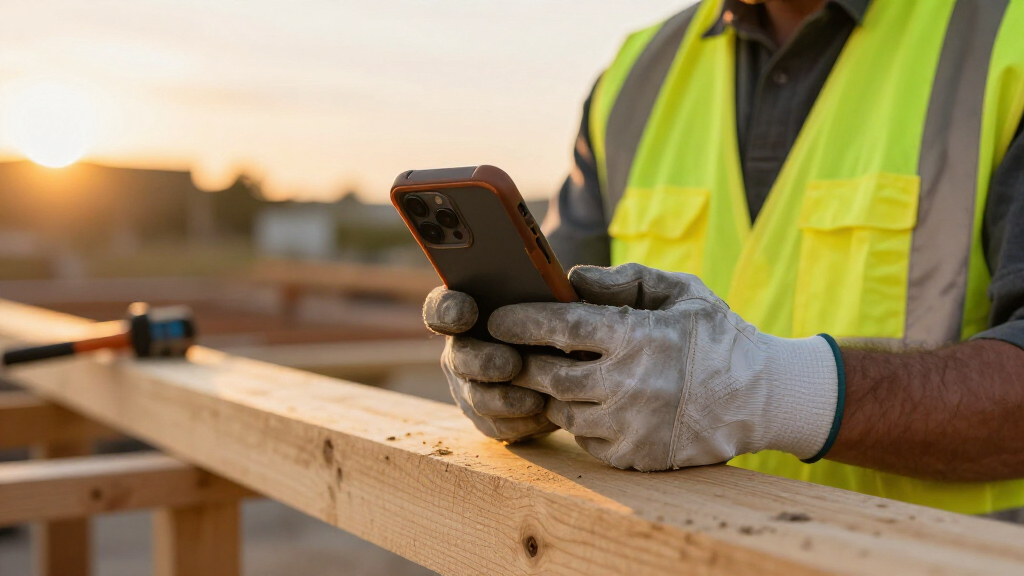
rugged construction site smartphone
As an affiliate, we earn on qualifying purchases.
As an affiliate, we earn on qualifying purchases.
Use It With Gloves On: Screen and Audio Features That Earn Their Keep
A phone you have to strip a glove off to use is a phone you’ll stop using — and a foreman with numb fingers fumbling with a touchscreen is a safety problem, not just an annoyance. The best phones prioritize durability and usability, and usability starts with glove mode and wet-finger touch support. Glove mode boosts the screen’s touch sensitivity so nitrile and leather gloves register; wet-touch support keeps the screen responsive when rain or sweat is involved.
Performance varies. Thick insulated gloves, an added screen protector, and moisture all cut sensitivity. Test with the gloves you actually wear, not the thin ones from the parts store.
Physical buttons matter too. A programmable push-to-talk button you can hit by feel — without looking, without swiping — is worth more on a jobsite than any app. Add loud speakers and strong vibration alerts so you actually hear and feel calls over a skid steer at full throttle.
- Glove mode and wet-finger tracking — the baseline for capacitive screens on site
- Programmable physical buttons — push-to-talk, camera, or flashlight, operable by feel
- High-volume speakers — audible near machinery and vehicles
- Noise-canceling mics — clear calls in wind and equipment noise
- Glove-friendly fingerprint sensors or physical navigation
- Bluetooth and hearing-protection compatibility for headsets
Audio is the forgotten spec. A superintendent running a video call from an active pad needs a mic that filters engine noise, not one that turns every word into static. Test call quality in the loudest place you work before you commit the whole crew.
As an affiliate, we earn on qualifying purchases.
Battery Math That Gets You Through a 12-Hour Shift
Battery life is where rugged phones justify their bulk. On remote sites where charging means a cord strung through a window of the job shack, you need a phone that runs dawn to dark. The spec to start with is capacity in mAh — but capacity alone doesn’t tell the story. Display brightness, processor efficiency, signal strength, and software all eat into runtime. A 5,000 mAh phone hunting for signal all day can die faster than a 4,000 mAh phone with strong coverage.
Judge real-world screen-on time, not the mAh number. Then check for the features that stretch endurance:
- Replaceable batteries — rare but gold; swap in a fresh cell instead of hunting an outlet
- Fast charging — top up during lunch
- Reverse charging / power-bank mode — charge a headset or a coworker’s dead phone from yours
- Cold-weather performance — lithium-ion loses capacity in the cold; Minnesota winters punish batteries
Cold is the sneaky one. The same phone that runs all day in July might hit 30% by noon in January, because lithium-ion chemistry slows in low temperatures. If your crew works northern winters, cold-weather battery performance isn’t optional — it’s the spec.
The trade-off is weight and thickness. Big batteries make rugged phones heavy, and a phone that’s a brick in your pocket or tool belt doesn’t get carried — and a phone left in the truck protects nothing. Weigh endurance against ergonomics honestly.
As an affiliate, we earn on qualifying purchases.
Thermal Cameras, Lasers, and Other Tools Hiding in Your Phone
Specialized rugged phones are starting to carry real trade tools built in, and the standout is the thermal camera. For electricians, HVAC techs, insulation crews, and building inspectors, thermal imaging spots overheading breakers, missing insulation, moisture intrusion, and duct leaks in seconds — without opening a wall. That’s a several-hundred-dollar capability riding in your pocket.
Keep expectations honest. A thermal camera shows surface temperature patterns, not a complete internal diagnosis. It’s a screening tool that tells you where to look closer — it does not replace certified diagnostic equipment, and per safety codes, electrical work diagnosis still calls for proper test instruments and licensed electricians where required.
Thermal is far from the only built-in tool worth paying for:
- Laser distance measurement — quick checks without carrying a separate meter
- Air-quality and environmental sensors — useful on remediation and confined-space-adjacent work
- Push-to-talk with two-way-radio integration — bridges phone and radio crews
- Loud emergency sirens — an alarm that’s actually audible on site
- Tool-free lanyard and mounting points — clip it to a vest, not a pocket
The buying logic: a specialized feature justifies its price when it replaces a separate tool or improves safety. If you shoot thermal images three times a week, the camera pays for itself. If your phone workload is calls, plans, and progress photos, skip it and save the money. Also worth remembering — rugged phones are not intrinsically safe. Sites with explosive atmospheres require specifically certified devices; no IP or MIL rating gets you there.
As an affiliate, we earn on qualifying purchases.
Rugged Phone vs. Flagship in a Case: The Honest Comparison
Here’s the question most buyers get wrong: should you buy a purpose-built rugged phone, or a mainstream flagship in a heavy-duty case? The answer depends on who’s carrying it and what they do with it. A mason’s helper dropping his phone on slab three times a week needs a different answer than a superintendent splitting time between the trailer and the site.
There are three real categories, and each wins in a different scenario:
| Category | Best For | Strengths | Trade-offs |
|---|---|---|---|
| Fully rugged phones | Field crews, harsh conditions, daily abuse | Strongest protection, big batteries, replaceable batteries on some models, built-in tools | Heavy, slower processors, weaker cameras, shorter software support |
| Business-rugged phones | Supervisors, inspectors, PMs moving between office and site | Balanced durability with better cameras and software | Not built for constant extreme abuse |
| Mainstream phone + rugged case | Camera-heavy documentation work, long software timelines | Best cameras, longest security updates, more accessories, lighter weight, easier repairs | Protection depends entirely on the case, port covers, and screen protector |
The case route is genuinely competitive, not a compromise. A flagship in a quality case wins on software support — niche rugged brands often lag badly on Android updates and security patches, while mainstream phones get five or more years. If your company runs plans, checklists, and incident reports through mobile apps, an outdated OS becomes a real liability.
Whichever route you take, buy the extras that make it work: a tempered-glass protector, a belt or vest holster, a lanyard, a vehicle mount, and a spare cable. And read the warranty fine print — many manufacturers exclude liquid damage, cracked screens, and port corrosion even on “rugged” models.
The 12-Point Checklist to Run Before You Buy
When you’re comparing specific models, a checklist beats a spec-sheet skim every time. Run every candidate phone through these twelve points in order — the order matters, because the early items kill bad candidates fast and save you research time on the rest.
- IP and drop protection — IP68 minimum; verify the manufacturer’s stated drop height and test surface
- Battery endurance — real-world screen-on time, not mAh alone; replaceable battery if you can get it
- Carrier compatibility — check frequency bands, network certification, and eSIM support before anything else technical
- Weight and grip — hold it; if it’s a brick, it lives in the truck
- Glove and wet-touch performance — test with your actual gloves
- Outdoor screen visibility — brightness and anti-glare beat refresh rate; you need to read plans in direct sun
- Camera quality — daylight and low-light performance for documentation photos
- Specialized tools — thermal, laser measurement, sensors, only if your trade uses them
- Connectivity — 5G where coverage exists, Wi-Fi calling, Bluetooth, NFC for access badges
- Software-update policy — guaranteed OS upgrades and security-patch duration; check MDM compatibility
- Repairability and warranty — parts availability, service centers, and what the warranty actually excludes
- Total cost of ownership — cases, protectors, batteries, repairs, and replacement time over 3–4 years
That last point is the one everyone skips. A cheaper phone with no parts support can cost more over four years than a pricier one with replaceable batteries and long security updates. Lifecycle cost beats sticker price on jobsite gear, same as it does on trucks.
Frequently Asked Questions
Are rugged phones completely waterproof?
No. They are water-resistant under specific test conditions. Drops, aging, open port covers, repairs, and chemical exposure can all weaken the seals over time. Treat the rating as a starting point, not a lifetime guarantee.
Can I use a rugged phone with work gloves?
Most modern rugged phones support a glove mode that boosts screen sensitivity, and many add wet-finger tracking. Performance varies with glove thickness, screen protectors, and moisture — test with the gloves your crew actually wears before buying a fleet of them.
Is a rugged phone better than a regular phone with a case?
It depends on the user. A rugged phone wins for repeated drops, wet conditions, and constant field abuse. A mainstream phone in a quality case wins on cameras, software support, accessories, weight, and repair options — often the better call for superintendents and PMs who split time between office and site.
How long do rugged phone batteries last?
Many rugged phones run a full workday or longer, but GPS, 5G, maximum screen brightness, video recording, and weak signal all drain the battery fast. Cold weather cuts lithium-ion capacity too. Judge real-world screen-on time, and look for replaceable batteries or reverse charging for long shifts.
Is a thermal camera on a rugged phone worth the extra cost?
It’s worth it for electrical, HVAC, insulation, moisture, and maintenance work where spotting temperature patterns saves diagnostic time. It’s not worth it if your phone workload is calls, messaging, plans, and progress photos. Remember: thermal shows surface patterns only and doesn’t replace certified diagnostic equipment or licensed-professional work.
Do rugged phones work with every carrier?
No. Check supported frequency bands, network certification, and eSIM compatibility before buying — especially for imported or niche models. 5G performance also depends entirely on carrier coverage at your specific job site, so verify signal conditions first.
Conclusion
There is no single best rugged phone for construction — there’s the right phone for your trade, your site, and your carrier. Match the ratings to the abuse, the battery to the shift, and the software policy to how long you’ll actually keep the device. Run the twelve-point checklist and let the wrong candidates eliminate themselves.
Buy the phone that’s already in your hand when you need it — not the one you left in the truck because it was too heavy to carry.
Fall Picks
fall essentials
As an affiliate, we earn on qualifying purchases.