
TL;DR

Get business pricing on tools and workshop supplies
- Business-only prices and quantity discounts
- Tax-exempt purchasing
- Multiple users, one account, clear invoices
Apple has revealed a new smart-home lineup that includes the HomeView display, an Apple TV 4K box, thermostats, doorbells and cameras. The company says accessories can be set up with one tap on an iPhone and managed in Apple Home, but independent testing and product details are not included in the report.
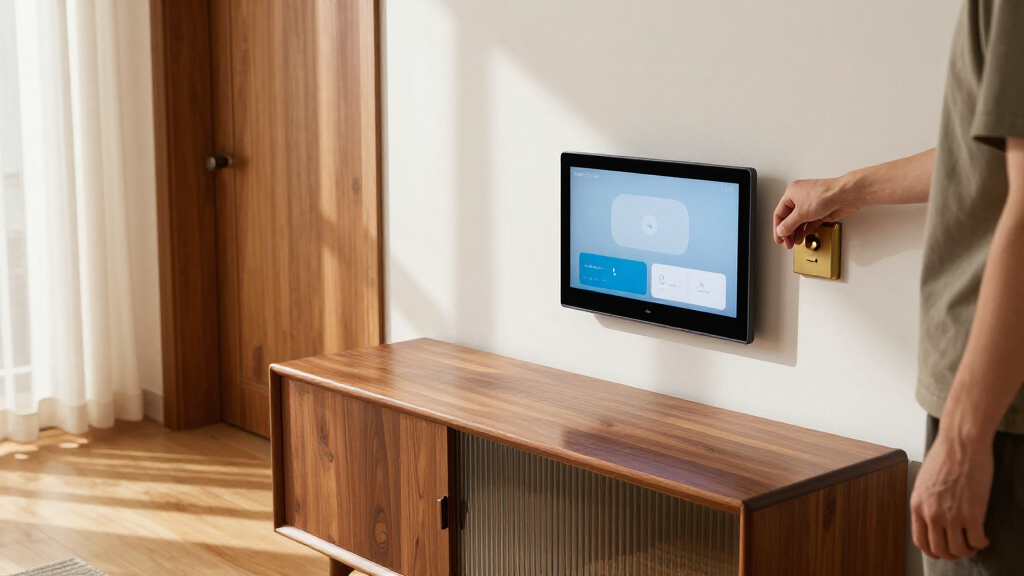
Apple has revealed a new set of smart-home devices, including its first smart-home hub, the HomeView display, alongside a new Apple TV 4K box, thermostats, doorbells and security cameras. The company says the accessories will be simple to set up with an iPhone and managed through the Apple Home app, a pitch aimed at people frustrated by juggling separate apps and accounts across connected devices.
Apple’s stated setup approach is a key part of the announcement. According to the company’s wording quoted in the CNET report, “these new accessories are simple to set up, starting with one tap with [the] iPhone, and everything is managed through the Apple Home app — no separate app or account required.” The promise applies to the new accessories described in the report; it does not establish that every existing smart-home product will be managed in the same way.
The lineup named by CNET includes HomeView, described as Apple’s first smart-home hub, a new Apple TV 4K device, and smart thermostats, doorbells and security cameras. The report does not give full specifications, prices, release dates or a complete compatibility list. It also says the author had not yet handled the products, so the promised setup experience had not been independently tested in that account.
Apple says its cameras will work with iCloud Plus for storing video history. That may let existing subscribers avoid adding a separate camera-storage subscription, though the source does not provide plan limits, storage terms or confirmation of how many cameras are covered. The report also says Apple supports a wide range of smart-home products from other companies, but it does not identify which specific devices are compatible with the newly revealed lineup.
One App Could Cut Setup Friction
Smart-home systems can require users to create accounts, install vendor apps and connect each device to a wireless network. The CNET writer describes having to manage a Hive thermostat, Google Nest cameras and doorbell, and other products through separate services. When the writer changed internet providers, some devices connected to the replacement router while others needed more attention. That experience illustrates a practical barrier: a device may perform its main task well, yet still add maintenance work across a household.
If Apple’s stated approach works as described, one-tap setup and centralized controls could make adding devices and managing them less demanding for people already using iPhones and Apple Home. Consolidated video storage through iCloud Plus could also simplify billing for eligible users who already subscribe. These are potential benefits, not established results: the report provides the company’s promise and one writer’s response to it, rather than hands-on testing or independent performance data.
The trade-off is a deeper reliance on Apple’s ecosystem. The CNET author notes that adding more Apple-connected equipment would increase the cost of leaving the platform, particularly for someone whose home already depends on Apple devices. For readers weighing a smart-home system, ease of use and ecosystem dependence are therefore part of the same decision.
Popular right now

Samsung 85-Inch QN70H Neo QLED 4K Smart TV (2026)

TCL QM64L 85-Inch QD-Mini LED 4K Smart Fire TV

De'Longhi Rivelia Automatic Espresso Machine with Milk Frother
As an affiliate, we earn on qualifying purchases.
The App-Switching Problem
The report is framed around a personal account of managing products from several manufacturers, not a technical review of Apple’s new devices. The writer says a thermostat, doorbell, cameras and previous smart lighting required different apps and accounts. Camera setup included scanning a QR code and connecting the device to Wi-Fi; a later internet-provider change led to additional router configuration. Those details explain why Apple’s one-app promise attracted attention, but they do not prove that the new products will avoid similar setup issues.
Apple’s Home app already serves as a control point for compatible smart-home products, according to the report. The new announcement extends that proposition with Apple-branded accessories and the HomeView hub. The author also points to existing Apple products in the home, including a HomePod, Apple TV, iPad and MacBook. That existing investment makes the convenience appealing while highlighting how a single-vendor approach can make switching platforms harder.
““These new accessories are simple to set up, starting with one tap with [the] iPhone, and everything is managed through the Apple Home app — no separate app or account required.””
— Apple, as quoted in the CNET report
Compatibility and Release Details
The available report does not state prices, release dates or detailed specifications for HomeView and the other devices. It also does not establish whether the one-tap setup promise applies to every accessory, or how the setup works when a household includes products from other brands. Apple’s broad support for third-party smart-home products is described, but no full compatibility list or device requirements are provided.
It remains untested whether the new devices will reliably reconnect after a router or internet-provider change, how camera video storage through iCloud Plus is structured, or whether users will need paid plans beyond an existing subscription. The source’s author had not tried the products, so claims about ease of use and the practical value of the unified app remain unverified.
Hands-On Tests Will Show More
The next useful milestones are Apple’s publication of pricing, availability and specifications, followed by hands-on reviews of the setup process and device performance. Testing should establish which third-party products work with the system, whether one iPhone tap is enough in real installations, and what network or account steps users still need to complete.
For prospective buyers, the key questions are whether their existing devices are supported and whether camera storage is covered by their current iCloud Plus plan. Until those details and independent tests are available, Apple’s announcement signals a simpler proposed way to manage a connected home, but does not yet show that it will remove the setup, compatibility or subscription problems described in the report.
Key Questions
What is Apple’s HomeView?
HomeView is described in the source as Apple’s first smart-home hub. The report does not provide its specifications, price or release date.
What devices did Apple reveal?
The reported lineup includes HomeView, a new Apple TV 4K box, smart thermostats, doorbells and security cameras.
How does Apple say setup will work?
Apple says the new accessories can be set up with one tap using an iPhone and managed in the Apple Home app without a separate app or account. The report does not include hands-on testing of that claim.
Will Apple’s cameras require a separate video-storage subscription?
The report says Apple cameras will work with iCloud Plus for video histories. It does not specify storage limits, plan terms or whether an existing subscription covers every use case.
When will the new products go on sale?
The source material does not give release dates or prices. Those details remain to be confirmed.
Source: rss