
TL;DR

Get business pricing on tools and workshop supplies
- Business-only prices and quantity discounts
- Tax-exempt purchasing
- Multiple users, one account, clear invoices
There is no single best construction site camera system for every project. Match camera coverage, power, cellular or Wi-Fi connectivity, recording and retention, alerts, and access controls to the site; compare full system needs instead of choosing by one specification. Cellular solar cameras, multi-camera kits, and dedicated time-lapse cameras solve different problems, so confirm current features and terms with each vendor.
A camera can show you a clean view of the gate and still miss the copper wire walking out the back fence. On a busy job, coverage, power, signal, and footage access decide whether a camera system helps your crew or just adds another login.
This guide explains how to choose the best construction site camera system for the work in front of you. You’ll compare cellular, solar, multi-camera, and time-lapse options, learn what to verify before you buy, and build a practical coverage plan for a site that changes every week.
The right setup depends on your layout and purpose. A small remodel with one exposed storage area has different needs from a multi-building project that needs progress records, remote owner updates, and overnight security. Treat the camera plan like temporary fencing: map the gaps, account for changing conditions, and check that the system still works after the site moves.
Choose camera features around the job: theft prevention, remote coordination, progress records, or a mix.
Map entrances, equipment, materials, work zones, glare, and blind spots before deciding how many cameras you need.
Confirm signal and solar exposure at each mount; battery capacity and field of view do not predict real-world runtime or readable detail by themselves.
Check recording modes, retention, exports, alerts, subscriptions, and user permissions before the system goes live.
Point cameras at appropriate areas, provide notice as required, and get qualified help for electrical work.
Start with the job you need the cameras to do
The best construction site camera system starts with a clear job: watch for security problems, document progress, coordinate remotely, or do several at once. Those jobs call for different recording schedules, views, and storage. A gate camera that sends motion alerts may help after hours, while a time-lapse camera can document a slab pour without sending a crew member to take photos every hour.
Write down what you need to see and who needs to see it. If your main concern is theft, focus on entrances, tool storage, fuel tanks, and equipment parking. If your owner wants weekly progress, plan stable views of the building elevations and major work zones. If the superintendent needs to settle a delivery dispute, set a camera view that captures the unloading area and keep footage long enough to review the delivery date.
Consider a concrete example: a framing crew leaves a lift near the north entrance and moves it twice during the week. One fixed camera aimed only at the original parking spot stops helping after the first move. A planned camera position with a broad view, or a unit your team can relocate, gives you more useful coverage as the site changes.
Choose the primary purpose first, then list secondary uses. That order helps you avoid paying for a feature the crew will not use while missing a basic need like reliable night footage or footage export. Each purpose also changes what counts as success: security footage must make events identifiable, while progress footage must show comparable views over time. Trying to make one camera do both can force a compromise in placement, recording schedule, or retention. Decide which job gets priority if those needs conflict.
- Security: identify the areas, hours, and activity that matter.
- Progress: pick repeatable viewpoints and a capture schedule.
- Coordination: confirm remote viewing, access permissions, and alerts.
- Documentation: check retention, timestamps, downloads, and export formats.
Popular right now

Dyson Airwrap i.d. Multi-Styler for Straight and Wavy Hair

KitchenAid Artisan 5-Quart Tilt-Head Stand Mixer, KSM150PS, Almond Cream

De'Longhi Magnifica Evo Fully Automatic Espresso Machine with Manual Milk Frother, Silver
As an affiliate, we earn on qualifying purchases.
Map entrances and blind spots before you count cameras
A useful camera count comes from a site coverage map, not a rule of thumb. Mark the gates, material storage, equipment parking, active work zones, and areas where you need progress records. Then check where buildings, trailers, fencing, stacked materials, or bright lights could block a view. This map turns a vague goal such as “cover the site” into specific views your crew can check against the layout.
A wide field of view can cover more ground from one mount, but it can also make a person or license plate appear smaller in the image. In the supplied spec comparison, Hiseeu lists a 135° field of view, while the Vosker VKX lists 90° and the Vosker V150 lists 43°. Those numbers describe viewing angles; they do not tell you how readable a face or label will be at the far edge. A wider angle may reduce the number of cameras, but if the evidence you need becomes too small to identify, the lower camera count has little practical value. Narrower views can preserve more detail on a priority point, at the cost of leaving more areas uncovered.
Say your site has one street gate, a back fence, and a locked gang box near the trailer. One camera pointed from the trailer might capture the gate and miss the box behind a stack of drywall. Two cameras placed at different angles may show more useful detail than one camera with a wider view. Walk the perimeter at the time of day you expect to rely on the footage. Sun glare at 4 p.m. can turn a clear image into a bright white rectangle. Check the live image at the distance you care about: a view that looks broad from the ground may not show a face or a tool clearly enough to support a follow-up.
Use a simple sketch or marked-up site plan. Add camera positions, likely obstructions, cable or solar-panel needs, and the areas each camera should cover. Revisit the map when the fence line moves or a new building blocks the old sightline. That check matters because construction changes the scene: materials accumulate, lifts move, and new walls can eliminate a previously useful view. A coverage plan that is not updated can create confidence without actual visibility.
- Mark priority areas such as gates, storage, equipment, and work fronts.
- Draw sightlines and note blind spots, glare, and likely obstructions.
- Check useful detail at the expected distance, not just the camera’s stated angle.
- Recheck after site changes such as new fencing, materials, or trailers.
Choose power and connectivity that survive a rough week
A construction camera stays useful when its power source and connection fit the site conditions. If the work zone has no mains power or Wi-Fi, a battery or solar-powered camera with cellular service may be a better fit. But the camera still needs enough sunlight, a usable cellular signal, and a recording plan that matches its power budget. Those pieces interact: frequent uploads and live viewing can drain power faster, while weak reception may make a camera work harder to connect. A setup that looks adequate on a product page can struggle when all three conditions occur together.
Cellular can carry alerts and images from a temporary site without a local internet network. It does not guarantee strong service in a steel-framed building, below grade, or behind a distant tree line. Before placing a camera, check the actual carrier signal at the intended mount. A test from the job trailer may not reflect reception at the far corner of the property. If the signal is weak, the tradeoff may be delayed alerts, failed uploads, or more power and data use as the unit retries; repositioning the camera or using a different connection may be more valuable than buying a higher-resolution model.
Solar power also depends on placement and demand. A panel shaded by a crane boom or covered in dust can produce less power than the system needs. For example, a camera aimed at a south-facing gate may have a clear view but sit under an overhang that blocks the panel. You may need a different mounting point, a longer panel lead, or a charging routine that the crew can maintain. A better solar position can mean a less ideal camera angle, so plan both together instead of treating the panel as an accessory to add later.
Compare the Vosker VKX spec in the source brief, which lists a 14,000 mAh battery and solar power, with the TACTACAM Defend 360 listing of a 10,000 mAh battery. Capacity alone does not predict runtime. Recording frequency, live viewing, temperature, signal quality, and alert settings all affect power use. Ask vendors how the system behaves during a weak signal or outage, and whether it stores footage locally until a connection returns. Local buffering can preserve evidence during an interruption, but it does not help if the camera itself loses power; ask how long each part of the system can operate under your expected conditions.
- Confirm cellular coverage where each camera will actually mount.
- Ask what solar exposure and battery charging the camera needs.
- Check what continues recording during an internet or power interruption.
- Find out whether live viewing and downloads consume cellular data.
Compare camera types by the work they handle best
The best construction site camera system may combine different camera types because security cameras and time-lapse cameras answer different questions. A cellular security camera is built around remote monitoring and alerts. A multi-camera kit can cover several angles. A dedicated time-lapse unit focuses on capturing a project’s visible change over time. The practical choice is about the evidence and workflow you need: live alerts help someone respond to an event, while a consistent time-lapse sequence helps explain how work progressed. A camera optimized for one may not provide the recording schedule, detail, or easy export needed for the other.
The source comparison includes four alternatives to the Vosker VKX, which may be difficult to find in some buying channels; check current product status and specifications with the vendor. The TACTACAM Defend 360 shares listed battery-capacity, color, and dimension details with the VKX. Hiseeu’s listed system shares solar power and field-of-view characteristics. Brinno BCC5000 is described as a 4K construction time-lapse camera with Wi-Fi connectivity, while the Vosker V150 is a 4G LTE solar cellular model. These are product descriptions and spec matches, not proof that one replaces another in every use. Matching a few specifications does not establish equivalent coverage, recording behavior, service terms, or retention, so compare the operating details for the exact job.
For example, a superintendent who needs to review a delivery after hours might prioritize cellular alerts and remote access. A project manager preparing monthly owner updates may care more about consistent time-lapse images from a fixed location. A sprawling site with several storage zones could need multiple cameras even if each individual unit has a narrower view. Combining a security camera at the gate with a fixed time-lapse view of the main structure can cover both jobs, but it adds mounts, subscriptions, maintenance, and footage management. That extra complexity is useful only if someone is assigned to review and maintain each stream.
| Type or example | Useful for | Verify before choosing |
|---|---|---|
| Cellular security camera, such as TACTACAM Defend 360 | Remote viewing and security coverage where Wi-Fi is absent | Current cellular support, data terms, alert settings, recording and retention |
| Solar multi-camera kit, such as Hiseeu 8-camera system | Multiple locations that need views across a larger site | What connects each camera, actual coverage, power needs, and storage |
| Dedicated time-lapse, such as Brinno BCC5000 4K | Repeatable progress documentation over a long project | Capture schedule, power, connection method, export, and mounting stability |
| Vosker V150 cellular solar camera | Remote cellular monitoring in a solar-powered setup | Field of view, signal, current specifications, data and plan terms |
Set recording, retention, and alerts before the first shift
Before the first shift, agree on what gets recorded, how long it stays available, and who receives alerts. A camera that sends every motion event can bury a foreman in notifications from wind-blown plastic, headlights, or workers passing through the frame. A camera with a short retention window can also erase the one clip you need before anyone thinks to download it. These are related operating choices: more recording can improve the chance of catching an event, but it also uses power, data, and storage and can increase the review burden.
Ask whether footage stays on the camera, a local recorder, or a cloud account. Check how retention is counted, whether the system overwrites old clips automatically, and what happens when the internet connection drops. If a worker reports that a delivery arrived damaged on Tuesday, your team needs a practical way to find and export the relevant footage before it disappears. A longer retention period buys time to discover a problem, but may raise storage costs and increase the amount of footage your team must protect. Set a period based on realistic reporting delays and confirm that the plan actually retains the recording mode you intend to use.
Set alerts around the purpose of each camera. For a locked tool container, after-hours motion may make sense. At an active gate, alerts during the workday may be too noisy to help. Have the lead test the settings for a few days and adjust zones or schedules. A camera pointed at a road can trigger from every passing truck; a tighter zone on the gate may cut the clutter. If settings are too broad, people may start ignoring alerts, which removes the value of rapid notification. If settings are too narrow, an event at the edge of the frame may go unnoticed, so use a short trial period to balance noise against missed activity.
Give access by role. A project manager may need all cameras, while a subcontractor may need one progress view. Use strong passwords and account protections, and remove access when someone leaves the project. Confirm whether mobile viewing, downloads, and additional users affect data use or plan terms. Clear roles make footage easier to use and reduce accidental exposure; they also make it clear who is responsible for saving a clip when an incident is reported.
- Retention: set a target period that covers likely incident discovery.
- Exports: confirm how to save a clip with its timestamp.
- Alerts: tune motion zones and schedules to limit noise.
- Access: assign users, review permissions, and remove stale accounts.
Use cameras to protect people and respect privacy
A jobsite camera plan should protect property while respecting worker and visitor privacy. Before installation, check local rules and company policies for notice, recording, audio, retention, and access. Laws differ by location and use, so ask qualified local counsel or your employer’s compliance lead when you are unsure. Privacy planning affects more than legal exposure: workers who understand what is recorded and why are less likely to mistake a security measure for personal monitoring.
Point cameras at appropriate work and security areas. Avoid aiming into neighboring homes, bathrooms, break areas, or other places where people reasonably expect privacy. If the camera captures a public sidewalk or an adjacent property, adjust the angle or masking features if available. Put up clear notice where required and tell subcontractors how the footage is used. Narrowing the view can reduce unnecessary collection, though it may also remove context around an incident; choose the smallest view that still captures the activity the camera is there to document.
Consider a practical case: a crew sets up a camera to watch the gate, but its frame also captures the lunch trailer windows. The camera may help identify after-hours visitors, yet it records workers during breaks. A small change in mounting height or angle could keep the gate in view and remove the trailer from the image. Check the view from the actual camera feed, not just from the ground. Repeat that check after moving the camera, since a changed angle can bring private areas back into frame.
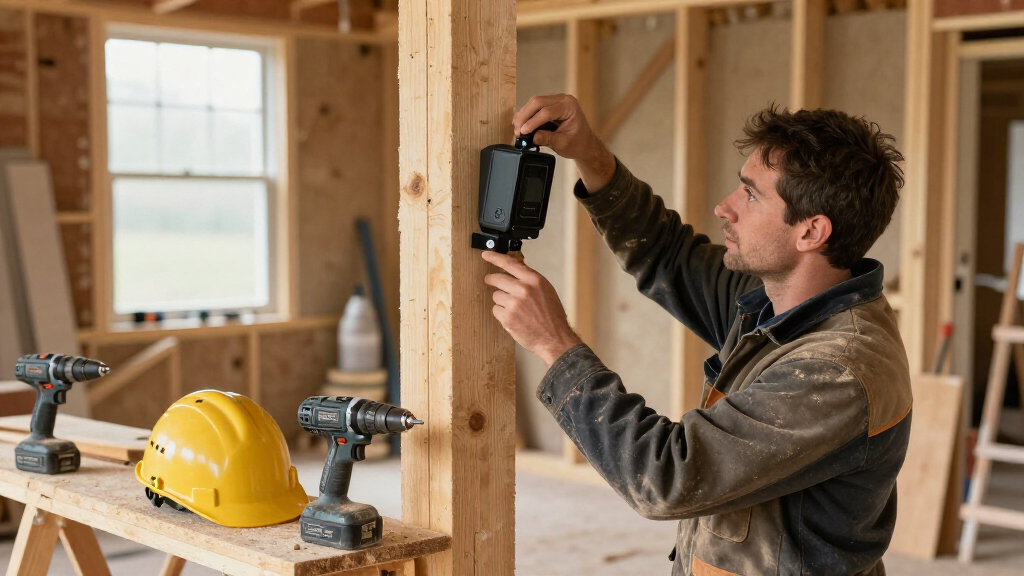
For electrical work, have a licensed professional handle permanent wiring or changes to site power. Shut off power before work on a circuit, verify it is de-energized, and use appropriate PPE. Follow applicable permits and code requirements. For temporary battery or solar equipment, mount it securely, keep cables clear of walk paths, and protect the panel and wiring from equipment strikes. Secure mounting reduces the chance that a camera becomes a falling or trip hazard, while also keeping its view stable enough to produce usable footage.
Set the purpose and limits before recording starts. A short written rule for camera locations, user access, and footage retention gives the crew a clear answer when someone asks what the system records.
Check the full project cost and installation workload
Compare the full cost over the project’s expected duration, including cameras, mounts, solar equipment, cellular data, storage, subscriptions, installation, maintenance, and relocation. The equipment price alone cannot tell you what a system will cost to operate. A low-cost camera that needs a paid data plan and frequent battery visits may take more crew time than a higher-capacity setup. The useful comparison is total cost against the coverage and records you will actually get, since an inexpensive unit that goes offline or is never checked may leave a costly gap.
Imagine a six-month renovation with a camera mounted on a pole that must move when the access road shifts. Ask whether the mount can be reused, whether a technician must relocate it, and whether the service plan follows the camera. If the camera needs a ladder and two workers every time it moves, that labor belongs in the comparison. Relocation also creates a period with no coverage and may require a fresh signal and view check; include that downtime when deciding whether a fixed or portable setup fits the project.
Ask vendors for a demonstration using conditions close to your job: similar signal strength, mounting height, nighttime lighting, and expected capture frequency. Confirm current features, storage limits, subscription terms, data export, cancellation conditions, and what happens to footage when a plan ends. Product features and service terms change, so verify them directly rather than relying on an old product page or spec sheet. A demonstration can expose operating limits that a specification sheet hides, such as a slow live view or difficult clip export, which can matter more to the crew than a headline resolution.
Build a short cost worksheet. Use the project duration and planned camera count, then list recurring charges separately from one-time equipment and installation. Include the time needed to review alerts, maintain panels, charge batteries, and move cameras. A system that project teams monitor consistently is more useful than a technically capable setup no one has time to manage. If the expected workload exceeds the time anyone can realistically give it, reduce the number of streams or simplify the alert plan before purchase.
- List the cameras, mounts, power equipment, and installation labor.
- Estimate data, cloud storage, subscription, and user costs for the full project.
- Add maintenance visits, battery charging, and likely camera moves.
- Compare the total against the coverage and footage your team will actually use.
Frequently Asked Questions
What is the best construction site camera system?
The best construction site camera system is the one that fits your coverage, power, connectivity, recording, and privacy needs. A cellular solar camera may suit a remote gate, while a multi-camera setup or dedicated time-lapse unit may suit a larger project. Compare current features and service terms with vendors before deciding.
Can construction cameras work without Wi-Fi or mains power?
Some construction cameras use cellular service, batteries, or solar power, which can work where site Wi-Fi or mains power is unavailable. You still need adequate cellular coverage and enough power for the camera’s recording and upload pattern. Test the signal and solar exposure at the exact mounting spot.
How many cameras does a construction site need?
The number depends on the site layout and the areas you need to see. Start with gates, storage, equipment, and important work zones, then look for blind spots caused by buildings, trailers, or materials. A site sketch often shows whether one wide view is enough or whether several angles are needed.
Can construction cameras record continuously and create time-lapse videos?
Some systems offer continuous recording, scheduled capture, or time-lapse features, but capabilities vary by model and plan. Confirm the recording mode, storage capacity, power demand, and export options. A dedicated time-lapse camera may fit progress documentation better than a motion-alert security camera.
How long is construction camera footage stored?
Retention depends on the product and service plan. Ask whether footage is stored locally or in the cloud, how long it remains available, whether old clips are overwritten, and how you can export a clip. Set the retention period to cover the time it may take to discover and report an issue.
Are construction site cameras legal?
Rules depend on your location and how you use the cameras. Check requirements for worker notice, privacy, audio, access, and personal data, and get local legal guidance when needed. Aim cameras at appropriate work or security areas and avoid places where people expect privacy.
Conclusion
Choose your system from a marked-up site plan and a list of footage your team must be able to retrieve. Verify the signal, power, retention, alerts, and access rules where the cameras will sit, then test the view after the next major site change.
A good camera plan works like a dependable spotter: quiet when the site runs normally, clear when something changes, and ready with the right view when your team needs it.